fdic-logo FDIC-Insured - Backed by the full faith and credit of the U.S. Government

Exciting News: Peoples State Bank to join Bank First in December.Learn More →

Smarter Card Security Starts Here

Take control of your debit and credit card experience with built-in tools designed for security and convenience. Within Bank First Online & Mobile Banking, you can control spending, monitor activity, enable alerts, and manage your cards instantly from your mobile device or desktop.

Log In to Get Started
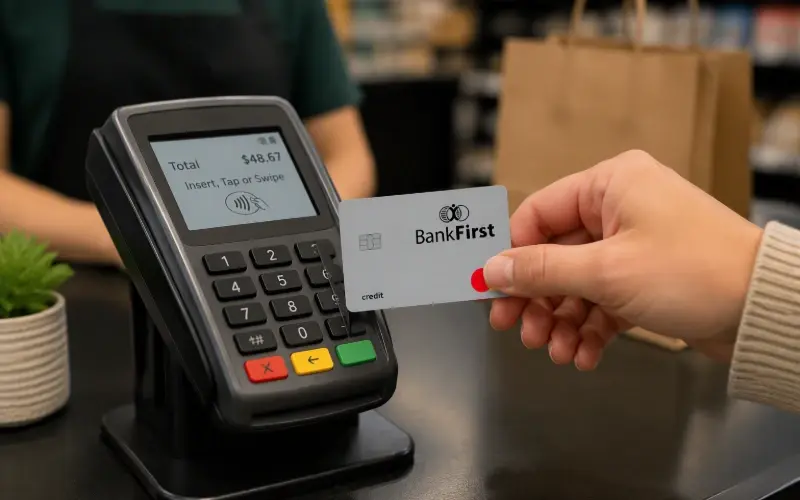
A customer pays at a retail checkout counter using a credit card on a POS terminal.

credit cardCard Management & Fraud Control

  • Turn your card on or off instantly
  • Set spending limits
  • Restrict transaction types
  • Enable location-based controls
  • Schedule transaction alerts
  • Receive real-time fraud alerts
  • Monitor card transactions as they occur

shieldDigital Wallet

  • Add debit and credit cards to your devices for quick, contactless payments without having to share your card number or PIN.
  • Add card information to the digital wallet on your smartphone, smartwatch, or tablet to streamline in-person payments.
  • Works with Apple Pay®, Google Pay™, or Samsung Pay®.
  • Internet-based digital wallets store your cards in a profile to simplify and securely make online purchases.

credit cardLost or Stolen Card?

  • To report a lost or stolen Debit/ATM Card, call 1-800-554-8969
  • To report a lost or stolen Credit Card, call 1-855-325-0905
  • To obtain a replacement card, contact your local Bank First office.


You can also turn off your card immediately through the "Cards" menu in digital banking. Debit/ATM PINs can be changed within the same menu or at any of our branch ATMs.

New to Online Banking?

Get more from your banking experience. Watch our Online & Mobile Banking demos to see how you can get started with tools like Card Management to help you stay protected.